Approvals
When should an AI agent ask for approval?
Know what to check when an agent wants to spend money, send a message, or install a tool.
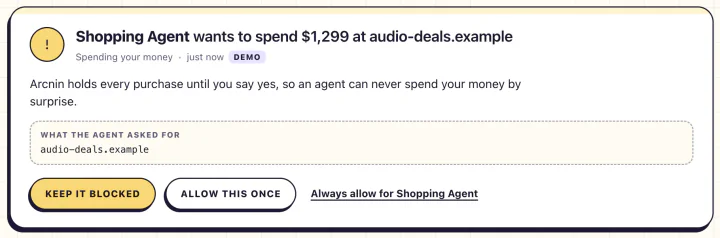
Check the details before you say yes
When Arcnin asks you to review a purchase, compare the merchant, item, and price with what you asked for. For messages, check the recipient and text. For a new tool, check who provides it and why the agent needs it.
Decline if the action is outside your request
If you asked an agent to compare headphones and it proceeds to checkout, stop at the approval prompt. Review its findings first and choose whether to place the order yourself or give the agent a narrower instruction.
Review the outcome in Activity
After you answer the prompt, use Activity to see which action Arcnin checked and how it was handled. You can practice this with a simulated purchase in the Demo lab.